A conceptual introduction to git
If you spend any time working alongside programmers, you'll probably encounter words like "push," "pull," "branch," and — accompanied by a visible wince — "merge conflict." These are the everyday terms of working with git. For anyone who isn't a developer — whether you're a product manager, designer, writer, or project coordinator, whether you've been in the industry for years or are just starting out — they can sound like gibberish. This article is a conceptual map of what they mean and why they matter.
Understanding these things won't make you a developer. It will make you a better colleague to one.
A note on this approach
If you're a developer who already uses git, this almost certainly isn't for you.
For everyone else: most introductions to git are for programmers and take roughly the same approach. They start by telling you to open a terminal (whatever that is) and type git init, then explain what just happened. There's a logic to this — software is interactive, and directly working with the tool you're learning about has a certain appeal as a teaching method. But following a pre-written sequence of commands isn't the same thing as understanding a system.
A common problem with this sort of approach is that it produces familiarity with a specific set of steps in a specific order. The moment something goes wrong, or the situation doesn't match the tutorial's assumptions, the underlying model isn't there to help. XKCD 1597 illustrates this failure mode directly. The comic depicts someone whose entire git workflow consists of memorised commands — and whose strategy for when something goes wrong is to delete everything and start over from scratch. It's a joke, but it describes a predictable outcome when a tool is learned as a sequence of steps rather than as a system.
For someone who works alongside software development but has no intention of writing code, the problem is even more basic: the commands are just noise. They get in the way of the concepts.
This article takes the opposite approach: concepts first, and only concepts. The goal is a mental model of what git is, what it's for, and why it works the way it does — without opening whatever a terminal is.
One consequence of this is that the article deliberately favours clarity over precision in places. If you're an experienced developer, you'll notice some explanations that simplify or skip implementation details. That's intentional. (Understanding the purpose of a push, a pull, or a merge conflict matters more here than the mechanics of how git moves objects between repositories.)
Starting somewhere familiar
To get a sense of the kinds of problems git is designed to address, consider something you're probably more familiar with: the process of developing a presentation — or any document — that involves gathering and incorporating feedback from multiple people before arriving at a final version.
If you've ever worked on something like that, soliciting input from different colleagues at different times and trying to incorporate their comments, you may have ended up with a folder that looked something like this:
pres draft 1
pres draft 2
pres eve 19th
pres v1
pres v1 backup
tg comments
msb comments
pres v2
late comments
pres v2 copy edit
pres v2 + late
pres v3 final
pres v3 final_FINAL
It probably worked out OK — but the process is chaotic and fragile, and it's easy to end up with a "final" version that doesn't actually reflect all the feedback you received: not because you chose to ignore it, but because keeping track of what came from whom, in which version, and whether it was addressed, is genuinely difficult to manage by hand.
Fortunately, for documents and presentations, there are tools that help. Backup and cloud services such as Dropbox, Google Drive, and Time Machine preserve earlier versions of your files automatically. Apps that integrate with services like Google Drive and iCloud also let teammates collaborate on the same file simultaneously, and show you what changed.
These solutions work well for most people on most projects. The question is why they don't scale to software development.
Why software is different
Three things distinguish software development from ordinary document work.
Duration. A presentation is typically created for a specific occasion and doesn't change much after delivery. Software is never truly finished. It gets updated to fix bugs, add features, and adapt to changing requirements — continuously, over years or even decades. The version history of a significant software project isn't a few dozen files accumulated over a few weeks; it can represent hundreds of thousands of changes made by thousands of contributors across many years.
Scale. A document like that in the example is usually owned by a small group of people. Production software may be worked on simultaneously by dozens or hundreds of developers, with people joining and leaving the team throughout the software's lifetime. And unlike a presentation, software projects typically involve not one file but many, often tightly interrelated — a change in one file can unexpectedly affect the behaviour of another. The familiar model of a few colleagues sharing edit access to a single file simply doesn't extend to that scale.
The importance of history. When something looks wrong in a presentation, you can usually fix it without understanding the history of every slide. With software, understanding why a piece of code was written a particular way often matters enormously — both to avoid breaking something subtle and to know who to ask when the original intent is unclear. A good version control system doesn't just record what changed; it records who changed it, when, and why. The history is part of the product.
Enter git
Git exists precisely to address these problems. It is a version control system — also referred to as source code management (SCM) or revision control. All three terms describe the same category of tool: a system for managing multiple versions of files, modified by multiple people, over time.
Created in 2005, git is now used by the overwhelming majority of professional software teams worldwide.
Git gives each developer a complete, fully functional copy of the project's entire history on their own machine — this copy is called a repository, or repo. Every git operation works on that local copy. Git is genuinely useful even when working alone, on small projects with no intention of sharing the work.
The full collaborative power emerges when a local repository is connected to a hosted service — you may have come across GitHub or GitLab, both widely used, or Bitbucket (sometimes encountered under its older name, Stash), which is common in larger organisations. Every developer on the team connects to the same hosted repository, but each works from their own independent local copy. This means they can still work productively even without internet access — on a long flight, in a location with poor connectivity, or simply while the team's servers are unavailable — and synchronise whenever a connection is available. This local-first approach is one of the main things that distinguishes git from most earlier version control systems.
The development environment
Understanding where git fits requires a brief word about the environment in which developers actually work.
Most developers work in an Integrated Development Environment — an IDE — or a similar programming-focused tool. (The category is broad: it includes everything designed for writing code, from full-featured IDEs to editors like Vim or Emacs, but not general-purpose text editors like Notepad or TextEdit.) Well-known IDEs include Visual Studio Code (widely used across many languages and platforms), Xcode (Apple's environment for macOS and iOS development), IntelliJ IDEA and Eclipse (common for Java), and PyCharm (for Python).
Almost all modern IDEs integrate with git, presenting version control features through a graphical interface rather than raw terminal output. How those features are displayed varies a lot by tool: the same information viewed in VS Code, in GitHub's web interface, or in a terminal will look different in each. The underlying git data is identical; the presentation depends on the environment.
Version history with intent
A useful starting point for understanding what a repo does is the version history feature found in many backup tools and cloud services. If you've ever retrieved an earlier version of a document — from Dropbox, Google Drive, Time Machine on a Mac, or File History on Windows — the principle is the same: versions of your files are saved automatically at intervals, and you can go back to an earlier state if something goes wrong. (If none of those sound familiar, the description that follows should still make sense.)
Git does something similar, with two differences. The first is fundamental: git's snapshots are collaborative — the repo isn't a personal backup; it's a shared record of every change ever made by everyone on the team. The second is the critical distinction: git's snapshots are intentional.
The developer creates every snapshot deliberately — nothing is recorded automatically. These deliberate snapshots are called commits. Each commit is accompanied by — or should be — a written description: a commit message explaining what changed and why. Git also stamps each commit with the author's identity, a timestamp, and a unique identifier that permanently distinguishes it from every other commit in the project's history.
Commit messages are institutional memory for the codebase
"Should be" is doing real work in that sentence. A commit message is more than a simple note; it's a contribution to the project's institutional memory. A message that says "fix bug" records that something changed; it doesn't record what was broken, why, or what the fix does. Months later, when a regression appears — a bug that wasn't there before and appears to have been introduced by a recent change — and someone is tracing back through commit history to find its source, that missing context is the difference between a quick diagnosis and a long investigation.
This is somewhere you — as project manager, team lead, or whatever your role — can have genuine influence.
There's a practical diagnostic here too: if a developer can't write a clear commit message explaining what a change does and why, that's a signal worth paying attention to. Either the change is doing too many things at once, or it isn't fully understood yet. The discipline of writing a good message is itself part of writing good code.
A well-known XKCD strip traces the arc of a developer's commit messages from careful and descriptive at the project's start to unintelligible fragments as the work grinds on. It lands because everyone recognises the pattern.
This is what institutional memory looks like in practice: at any point in a project's history, you can identify exactly who made a change, exactly what it contained, and — if the commit message did its job — exactly why.
Working, committing, diffing
When a developer works on code, they're editing files on their own machine — their working copy, or working directoryin git's terminology (where "working" means the copy they're currently working on, not a guarantee that it works). They can edit freely using whatever tools they have at their disposal, but none of those changes are recorded by git until the developer explicitly creates a commit.
At any point — before committing, between any two commits, or anywhere across the project's history — a developer can inspect exactly what has changed using a feature called a diff. This is a comparison showing, line by line, what was added and what was removed. The presentation varies by tool — terminal output, IDE, or code hosting platform will each display the same information differently — but the content is always the same. A diff can flag not just edits within files but the addition, removal, or renaming of files entirely.
For anyone working on or near a codebase, diffs matter in two distinct ways.
Before committing, a developer can use a diff as a logic check to review all the pending changes — a way to ensure that the only changes are the ones they intended. Granted, an unintended change to the code itself is likely to be caught somewhere else in the system — but that's still work for someone else to deal with and not guaranteed. Unintended changes to comments, though — notes that developers leave in the code for each other, which the system ignores but which are invaluable for understanding what the code does — are less likely to be caught anywhere else, and can cause real frustration later when someone is trying to understand a piece of code and finds it harder going than it should be.
More significantly, diffs are a critical tool for tracking down regressions — bugs that weren't present before and appear to have been introduced by a recent change. When something breaks, working through the diff history can reveal where the regression was introduced. (The problematic change may be visible to a careful reviewer even without any additional context. Good commit messages, though, can help narrow the scope of that search, and once the culprit is found, can explain why the change was made in the first place.)
Reverting: surgical undo
Like the backup and cloud services described earlier, git can roll back the project to an earlier state. With those tools, that's the only option, and it means discarding everything changed since that point — including work that has nothing to do with the problem. In an emergency, that might be a useful last resort, but git offers a more surgical option.
Using diffs, developers can investigate the history of the codebase to identify exactly which change introduced the problem — a task again made much easier by good commit practices, since clear commit messages narrow the search significantly. Once identified, git can revert just that change and leave everything else intact.
Revert isn't a magic fix — it requires care to apply correctly and carries its own risk of introducing new problems. A good automated test suite makes the process considerably safer, by quickly confirming whether the revert has had the intended effect.
Going remote: push, pull, clone
With each developer working independently from their own local copy, there needs to be a shared point of reference — somewhere all their work can come together. That shared point is the remote server (GitHub, GitLab, and so on), and connecting to one is what transforms git from a personal tool into a collaborative one.
Three operations make that possible:
Clone creates a complete local copy of a remote repository. It's how a developer gets their working copy of a project for the first time. The clone is fully independent — the developer can make and record any number of changes locally without affecting anyone else until they choose to share.
Pull retrieves changes from the remote and integrates them into the local copy. Since other developers are continuously adding their own commits, pulling is how a developer keeps their local copy current with the latest state of the shared repository.
Push sends local commits to the remote — a definitive operation, equivalent to saying "take my changes." This may be appropriate for a solo project, or the first time content is added to a shared repository. In a collaborative environment, though, it raises a problem: the developer pushing may not know whether others have made changes in the meantime that are incompatible with their own. For this reason, most collaborative workflows use a more considered process — called, somewhat confusingly, a pull request — which is described in the next section.
The picture that emerges is a continuous cycle: developers clone the shared repository, work independently on their own copies, pull in colleagues' changes as they appear, and push their own work back when it's ready. The remote repository is the shared point of reference that makes this coordination possible — and bringing multiple people's independent work back together is where most of the complexity of collaborative software development lives.
Pull requests: deliberate change
As noted previously, in most professional environments, developers don't push changes directly to the central shared codebase. Instead, when a developer believes their work is ready to be integrated, they initiate a review process using a pull request.
The name can be confusing at first. It helps to think of it from the receiver's perspective: the developer sending their work is requesting that the maintainers of the shared codebase pull their changes in. Hence: a pull request.
In broad terms, a pull request is a formal proposal from a developer to merge their changes into the shared code. Workflows differ between teams and platforms, but generally the request is accompanied by a diff showing exactly what they've changed; other team members then review the proposed changes, leave comments, and either approve them or request revisions. There may be several rounds before the changes are accepted and merged. And in the worst case, the request may be rejected entirely.
Pull requests serve several purposes simultaneously:
- Quality control — a second set of eyes catches things the original author missed.
- Documentation — the discussion thread on a pull request is often the best record of why a design decision was made.
- Knowledge sharing — reviewing colleagues' code is one of the most effective ways to understand what the rest of the team is building.
Branches: parallel lines of development
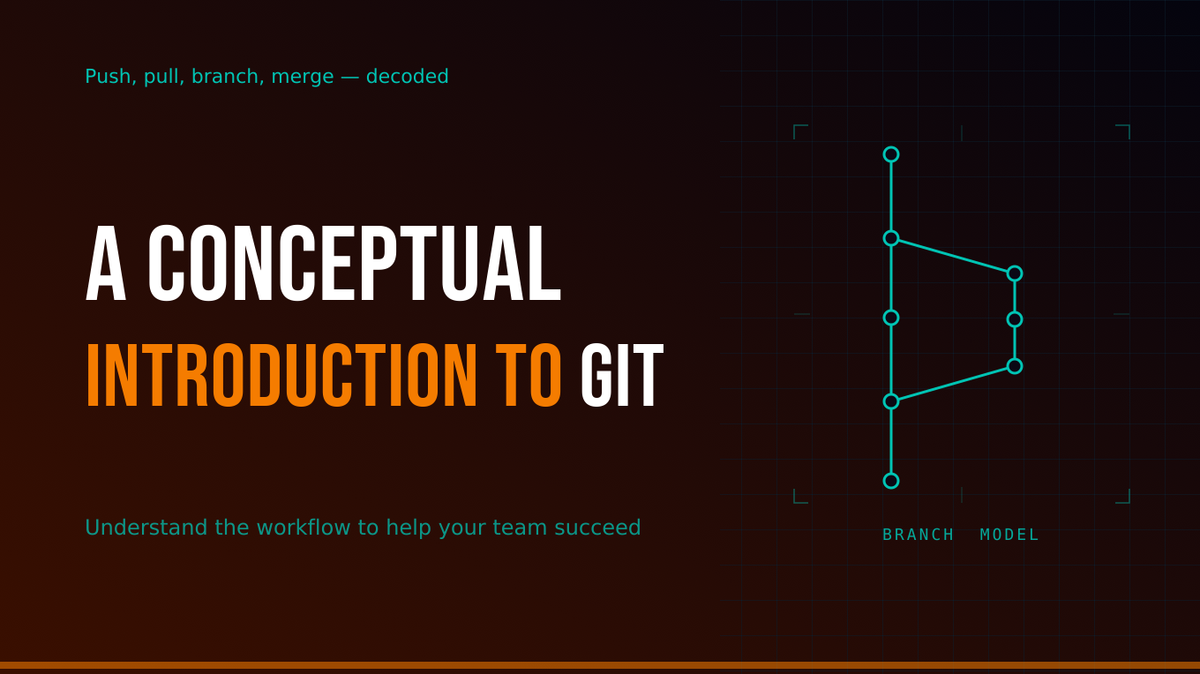
Rather than working directly on the main shared codebase, developers typically work on a branch — an independent working copy of the codebase at a given point in time. Think of main (historically sometimes called master, now more commonly main or trunk) as the official, published version of the code: the version actually running and in use. A branch is a copy where changes can be made freely without affecting main. The scope of a branch can vary widely — from a small bug fix, to a new feature, to an entire upcoming version of the product that will eventually become main itself. If it's approved, the branch can be merged back into main — typically via a pull request, as described earlier, bringing its changes into the shared codebase; if it turns out to be a dead end, the branch can simply be discarded.
Multiple branches can exist simultaneously — several developers each working independently, each eventually merged or abandoned — without any of them interfering with each other or with main. Creating a branch in git is almost instantaneous, and developers are actively encouraged to branch freely. This is one of git's notable strengths over older version control systems, where branching was possible but slow enough that it tended to be used rarely.
Merging a branch back into main is where conflicts are most likely to surface, and why the length of time a branch has existed is a genuine concern, not just a project management metric. The longer a branch exists without being merged, the more likely it is to have drifted out of sync with main.
The practice of merging changes frequently, in small steps rather than large batches, is precisely what reduces this problem. The longer parallel development runs before integration, the harder integration becomes.
The merge conflict: the thing that makes developers wince
When parallel work comes together — most commonly when a branch is merged back into main — git attempts to combine the changes automatically. Most of the time it succeeds: if two developers have been working in different files, or even different sections of the same file, git can combine both sets of changes without any human intervention.
A conflict arises when it can't — specifically, when two developers have made incompatible changes to the same section of the same file. Git doesn't know which version is correct. Rather than guess, it halts, marks the conflicting sections directly in the file — showing both versions side by side — and waits for a human decision.
Resolving a merge conflict means reading both versions, understanding what each developer intended, and producing a correct merged result. This can be quick and obvious, or genuinely difficult, depending on how complex the conflicting changes are and how long the two sets of work have been developing independently.
That said, one important note: a clean merge — one with no conflicts — doesn't guarantee the combined code works correctly. Two developers may each make changes that are each individually correct, but whose combination introduces an error that neither change would have caused alone. Catching this is not something git itself addresses; that responsibility falls to testing, ideally automated, which is typically layered on top of the git workflow as a separate concern.
Setting testing aside, two things determine how likely a conflict is to occur. The first has already been noted: as each branch accumulates changes independently, the more likely a conflict becomes. Time is a proxy for this — a branch that has existed for weeks has probably accumulated more changes than one that has existed for a day — but it's the accumulation of independent changes on both sides that's the real risk factor. One way to manage this risk is for developers working on long-lived branches to periodically bring in recent changes from main — keeping the branch up to date with what others are doing, and catching potential conflicts earlier rather than letting them build up. This doesn't eliminate the eventual merge, but it makes it more manageable each time. A second factor adds to this: the less clearly separated the concerns in the codebase — if different features or systems are entangled in the same files — the more often different developers will end up working on the same code at the same time.
Both factors are helped by good project management and point in the same direction — this is somewhere you can have a direct positive impact. When a developer hears that a branch has existed for weeks without being merged, the wince is a cost-benefit calculation.
Putting it together
Taken together, these concepts form a model of something developers live with every day.
A git repository is a complete, documented history of every decision made about a codebase, by whom, and when. Commits are intentional, described snapshots. Diff and revert give developers surgical precision in examining and undoing changes. Push, pull, and clone are how that history is shared and synchronised across a team. Pull requests are how changes are reviewed before integration. Branches are parallel lines of development that must eventually be reconciled.
And merge conflicts are git's way of flagging a genuine ambiguity that requires human judgment — the predictable consequence of parallel work that has diverged long enough that it can no longer be automatically reconciled.
The things that make developers anxious — a long-running branch, an approaching merge — aren't arbitrary. They're the predictable consequences of parallel work that has to be reconciled. Knowing why makes them easier to work with.
Where you can make a difference
Even without knowing a single git command, understanding how developers work with it — and where things can go wrong — puts you in a position to have a direct positive influence on both the team dynamic and the quality of the code they produce. Here are three things worth trying.
It's worth checking discreetly whether the team is already following good practice in each of these areas before stepping in and stepping on toes — but where they're not, these are meaningful contributions, and they're easier to make when you understand why they matter.
Establish a commit message culture. Commit messages are institutional memory for the codebase. A norm of meaningful messages — and treating "fix stuff" as incomplete work — is a direct contribution to long-term maintainability. If the team isn't already doing this, raising it is a legitimate and valuable contribution.
Encourage small, frequent integration. The longer a branch runs without being merged, the harder integration becomes. Work planned in smaller, focused chunks produces shorter-lived branches, more frequent integration, and fewer conflicts. This is a planning decision as much as a technical one.
Stay aware of codebase overlaps. Knowing which areas of the codebase different team members are working on simultaneously, and flagging potential overlaps early, reduces the likelihood of conflicts before they arise. This is an awareness of what different team members are working on that a project manager is naturally positioned to provide.
Going beyond git
The three points above are specific to git and its workflow. But since the article has touched on the limits of what git itself can guarantee — a conflict-free merge doesn't mean working code — it's worth noting that a healthy testing culture is the natural complement. Good automated tests help confirm that the code actually does what it's supposed to, after all the merging is done. Encouraging the team to write and maintain them is another meaningful contribution that doesn't require writing production code yourself.
Glossary
Branch — A parallel line of development within a repository, allowing developers to work on features, fixes, or experiments in isolation from the rest of the codebase.
Clone — The operation that creates a complete local copy of a remote repository, including its full history. A clone is fully independent — changes remain local until or unless the developer takes action to update the remote.
Commit — A deliberately created snapshot of the current state of the project, accompanied by a commit message. Each commit is permanently identified by a unique identifier, and records who made it and when.
Commit message — A written description attached to a commit, that should explain what changed and why. Good commit messages are institutional memory for the codebase.
Diff — A comparison showing, line by line, what was added and what was removed between two versions of the code. Diffs can span multiple files and can flag the addition, removal, or renaming of files entirely.
Main (main) — The primary branch of a repository, typically representing the official, published version of the code. Historically the default name was master; most platforms and teams now default to main or trunk, and renaming existing repositories is actively encouraged.
Merge — The operation that combines changes from one branch into another, typically bringing a feature branch into main.
Merge conflict — A situation that arises when git cannot automatically combine changes from two branches because both have made incompatible changes to the same part of the same file. Resolving a conflict requires human intervention.
Pull — The operation that retrieves changes from a remote repository and integrates them into the local copy. If the remote contains changes that conflict with local work, this can trigger a merge conflict.
Pull request — A formal proposal from a developer to merge their changes into the shared codebase, which initiates a review process. The name reflects the receiver's perspective: the sender is requesting that the maintainers pull their changes in.
Push — The operation that sends local commits to a remote repository.
Regression (not specific to git, but important in this context) — A bug that wasn't present before and appears to have been introduced by a recent change. Diagnosing regressions is one of the most important uses of git's diff and commit history. (A good automated test suite helps avoid them in the first place, by catching problems as soon as a change is made.)
Repository (repo) — Git's database of the complete history of a project — every commit, by every developer, since the project began. In typical use, each developer holds a full local copy.
Revert — The operation that undoes the changes introduced by a specific commit, without discarding the work that came after it.
Working copy / Working directory — The files on a developer's own machine that they are actively editing. Changes to the working copy are not recorded by git until a commit is made.
Learn Git Branching is an excellent interactive tutorial. Tom Preston-Werner's Git Parable walks through the design decisions behind git's architecture from first principles, and is one of the clearest explanations of why git works the way it does. For guidance on writing useful commit messages — worth passing along to your team if the practice isn't already established — Chris Beams' How to Write a Git Commit Message is the standard reference.
My thanks to Mike Bland. The conceptual approach this article takes has its roots in shared thinking and conversations with Mike going back many years; his careful technical review of the draft caught several inaccuracies, prompted significant improvements, and made the whole thing more honest. The friendship behind all of that is, as ever, the better part of it.